After a Customer purchases a Gift Voucher, they might come back at a later time or date requesting to add extra value to the Gift Voucher.
Idealpos allows additional value to be added to any existing Gift Vouchers which have been sold.
This is provided that the option "Inhibit ability to add value to existing Gift Vouchers" has not been enabled in Setup > Global Options > Credit Notes/Gift Vouchers.
If you attempt to add value to a Gift Voucher when "Inhibit ability to add value to existing Gift Vouchers" is ticked/enabled, a prompt similar to the below will be displayed:
To add value to an existing Gift Voucher, ensure that you have either the Gift Voucher Code or Barcode on hand from the existing Gift Voucher.
Then from the POS Screen, press the "GIFT VOUCHER" button.
You will need to either scan or enter the Voucher Code of the existing Gift Voucher, then enter the value that you want to add to the Gift Voucher into the Amount field.
If required, you can also enter the Customer Name and Email Address.
If entering an Email Address, Idealpos will need to be configured for sending emails (refer to Setting up Gift Vouchers for more details).
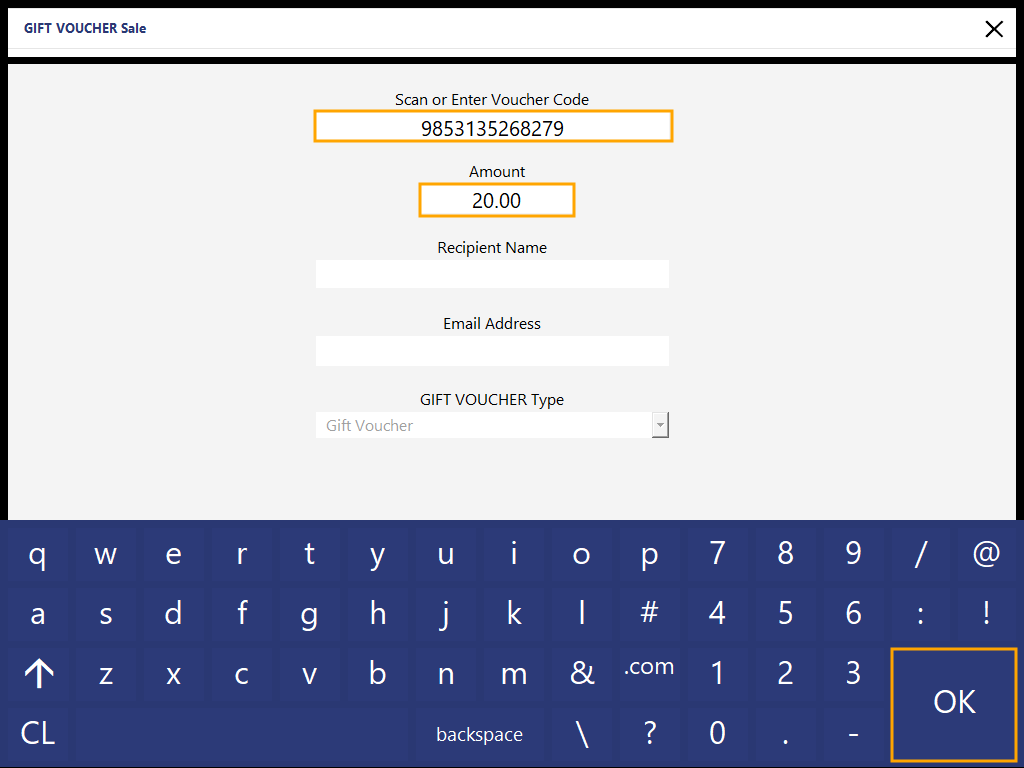
Once this has been done, press the "OK" button to add the Gift Voucher to the sale.
A message similar to the below will appear prompting that the Gift Voucher already exists, along with the existing balance of the voucher.
Press "Yes" to continue and add value to the existing Gift Voucher.

After pressing "Yes", the Gift Voucher will then appear in the sale screen.
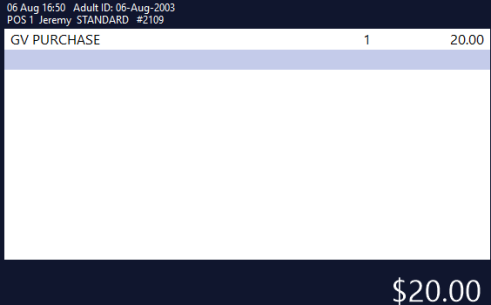
The sale will need to be tendered off and finalised in order to finish adding value to the Gift Voucher.
Press the ENTER button on the POS Screen, then select a Tender Amount/Type.
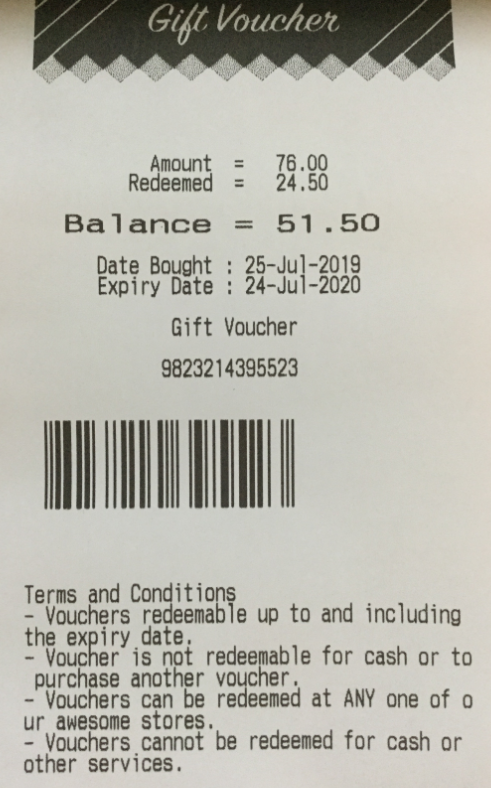
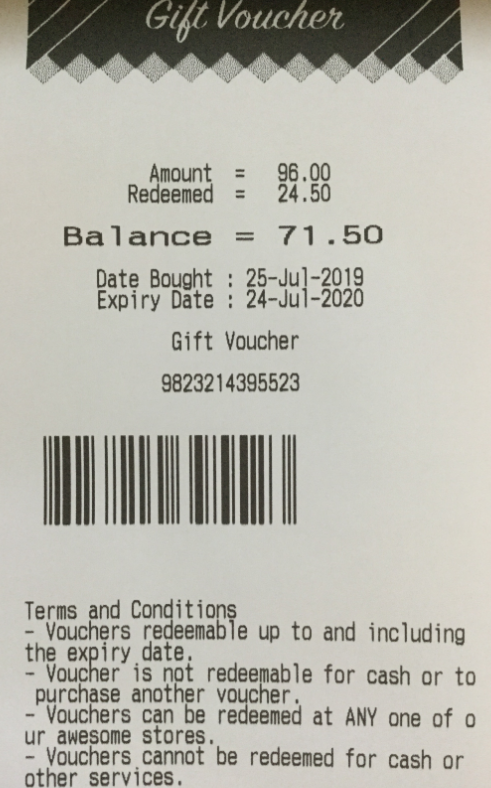
The Gift Voucher will be printed and it will include details showing the Amount, Redeemed, Balance, Date Bought and the Expiry Date.
The below examples show a Gift Voucher before and after adding value: